 ListHop
Cross-post your closet without retyping a thing
Capture your Poshmark listings and fill eBay's form in two clicks — photos and all. Everything stays in your browser.
View on GitHubChrome 116+ · Free · No account
ListHopCapture your Poshmark listings and fill eBay's form in two clicks — photos and all. Everything stays in your browser.
View on GitHubChrome 116+ · Free · No account
Auto-scrolls your Poshmark closet and reads every listing — title, description, price, size, brand, category, condition and up to eight photos.
Opens a listing on eBay with the fields already filled and your photos attached. You review it and press List yourself.
Every captured field, in a file that opens cleanly in Excel and Google Sheets.
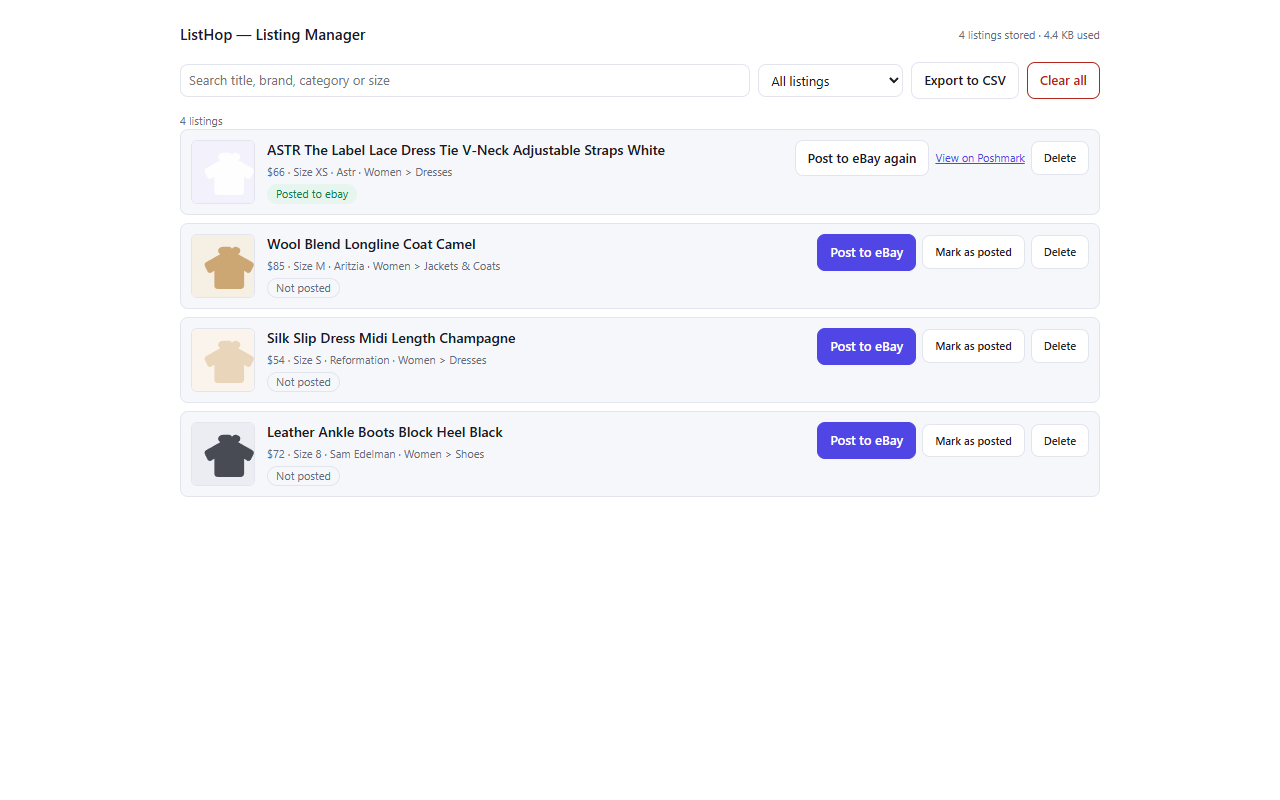

Poshmark and eBay both rate-limit aggressive automation. ListHop works at human speed on purpose — randomised pauses between every action, never a burst of clicks — and Pause stops a run within one action. A slow cross-post beats a flagged account.
ListHop fills eBay's form and stops. Every listing goes live because you pressed the button.
Capture checks that the closet belongs to the account you are signed in as, and refuses otherwise.
No account, no server, no analytics. Check the Network tab — there is nowhere for your data to go.
Poshmark records about six useful attributes; eBay's clothing categories ask for more than a dozen, each from its own controlled list. Here is the honest split.
| Filled for you | Needs a moment from you |
|---|---|
| Title (truncated to eBay's 80 characters), price, description, photos, colour, size | Category, condition, and eBay's extra item specifics like sleeve length or occasion — ListHop tells you exactly which ones and what to set |